Dashboard System Portfolio
Full-stack dashboard application with Flask APIs, Tkinter GUI, and real-time monitoring
Discuss Your Project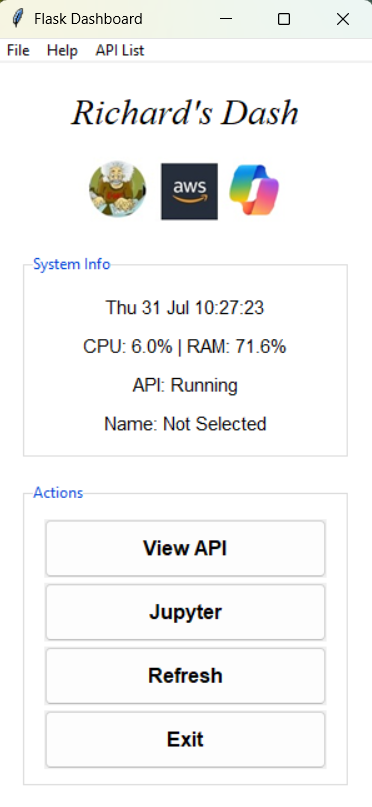
🏗️ System Architecture
Frontend GUI
Tkinter Desktop Application
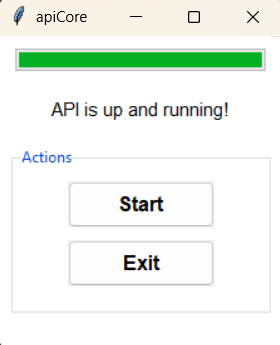
Flask API Layer
RESTful API Services
Data Layer
SQLite Database & External APIs
🚀 Key Features
Real-time Monitoring
Live system monitoring with CPU and RAM usage tracking
- • System resource monitoring
- • API status checking
- • Auto-refresh capabilities
- • Performance metrics
Database Integration
SQLite database with dynamic API management
- • SQLite3 database operations
- • Dynamic API list management
- • Data persistence
- • Error logging
API Integration
External API consumption with error handling
- • Football Data API integration
- • RESTful API endpoints
- • Request/response handling
- • Authentication management
Desktop GUI
Professional Tkinter interface with modern styling
- • Custom TTK styling
- • Menu system
- • Button actions
- • Image integration
💻 Technical Implementation
Flask API Endpoint
@app.route('/api/matches')
def matches():
    data = get_matches()
    return jsonify(data)

def get_matches():
    url = BASE_URL + "matches"
    try:
        response = requests.get(url, headers=HEADERS)
        response.raise_for_status()
        return response.json()
    except requests.exceptions.RequestException as e:
        logging.error(f"API request failed: {e}")
        return {"error": "Failed to fetch data"}
Real-time System Monitoring
def monitor_system():
    cpu = psutil.cpu_percent(interval=1)
    ram = psutil.virtual_memory().percent
    return f"CPU: {cpu}% | RAM: {ram}%"

def refresh_system_status():
    sys_label.config(text=monitor_system())
    root.after(1000, refresh_system_status)
Database Operations
def fetch_api_names():
    try:
        with sqlite3.connect(DB_PATH) as conn:
            cursor = conn.cursor()
            cursor.execute("SELECT API_Name FROM api_list")
            return [row[0] for row in cursor.fetchall()]
    except sqlite3.Error as err:
        logging.error(f"SQLite Error: {err}")
        return []
📁 Project Structure
D:\Dash/
🎯 Technical Capabilities Demonstrated
Full-Stack Development
Complete application development from database to GUI
API Development
RESTful API design and external API integration
Database Management
SQLite operations with error handling and logging
System Monitoring
Real-time performance monitoring and status tracking
💼 Business Applications
Enterprise Dashboards
Custom dashboard solutions for business intelligence and monitoring
API Management Systems
Centralized API management with monitoring and analytics
System Administration Tools
Desktop applications for system monitoring and management
Ready to Build Custom Dashboard Solutions?
From desktop applications to web dashboards - comprehensive development expertise